Cloud Vision API License
X4D utilizes both cloud-based and in-house OCR techniques to extract tags and tag attributes from scanned documents. For native PDF files, scanning is generally not required; however, in certain cases, OCR processing may still be advantageous to extract OCR data accurately an consistently.
Cloud Scanning
X4D offers integrated support for multiple Cloud Scanning Solution APIs, including:
Google Vision
ABBYY Cloud
Please note that both solutions require separate licenses for activation. Alternatively, X4D Global can provide these licenses as part of the overall X4D licensing package.
Google Vision
If Requested Google Vision License can be leased from X4D, or Clients can have their own license.
License Lease from X4D
Note: To keep the Administration overhead simple, X4D recommends Google Vision software lease to be clubbed with X4D License Lease. Please connect with X4D Commercial Team to assist with this.
Perpetual license
If required, Client may lease their own Google vision License, the process is described below:
Google Cloud License generation
- Visit https://console.cloud.google.com/. Login to your Google account.
- Select or create a new project:
Select specific project. Create new project using NEW PROJECT button in upper right of the form.
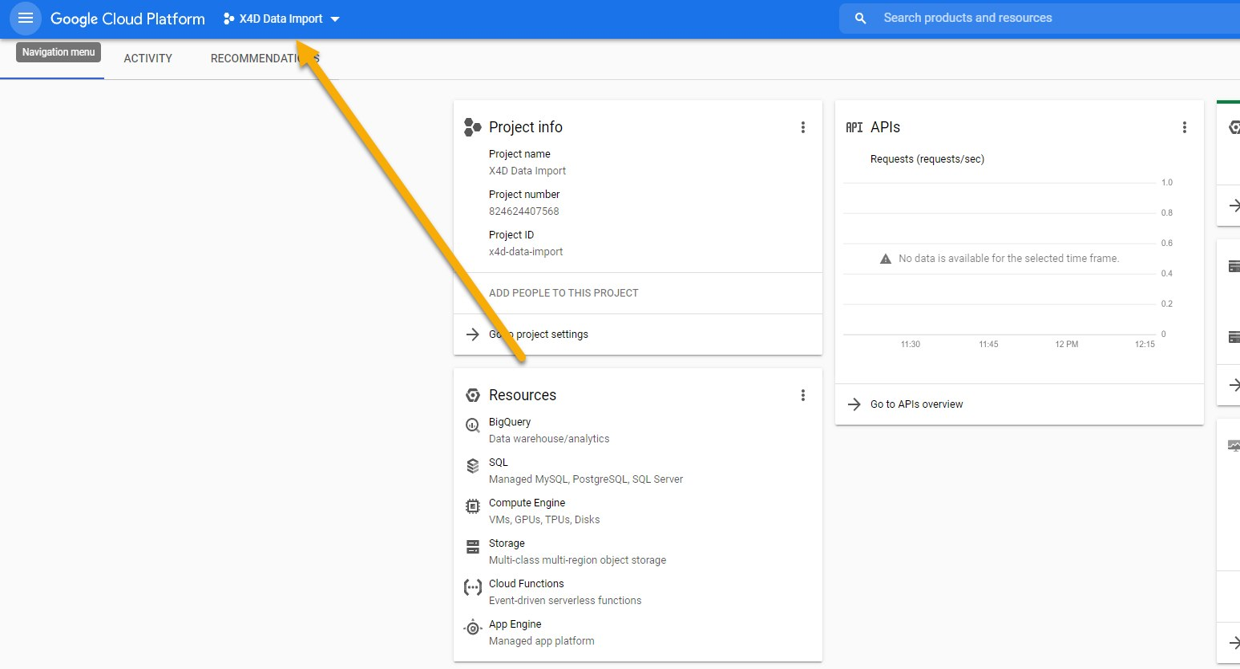 { data-title="Google Cloud Platform (GCP) Project Configuration." data-description="<div class='x4d-lb-notes'><span class='x4d-marker'>1</span> A Google Account is required to access and administer Google Cloud Platform resources.<br><span class='x4d-marker'>2</span> Sign in to the Google Cloud Console at https://console.cloud.google.com.<br><span class='x4d-marker'>3</span> Create a new Google Cloud Project or select an existing project before configuring cloud resources and services.<br><span class='x4d-marker'>4</span> For improved project administration, security, access control, billing, and cost tracking, it is recommended to create a separate Google Cloud Project for each X4D project deployment.<br><span class='x4d-marker'>5</span> Project administrators should ensure that the appropriate APIs, billing account, user permissions, and service accounts are configured before proceeding with X4D cloud integration.<br><span class='x4d-marker'>6</span> In our example, we are creating project named X4D Data Project</div>" }
- 1 A Google Account is required to access and administer Google Cloud Platform resources.
- 2 Sign in to the Google Cloud Console at https://console.cloud.google.com.
- 3 Create a new Google Cloud Project or select an existing project before configuring cloud resources and services.
- 4 For improved project administration, security, access control, billing, and cost tracking, it is recommended to create a separate Google Cloud Project for each X4D project deployment.
- 5 Project administrators should ensure that the appropriate APIs, billing account, user permissions, and service accounts are configured before proceeding with X4D cloud integration.
- 6 In our example, we are creating project named X4D Data Project
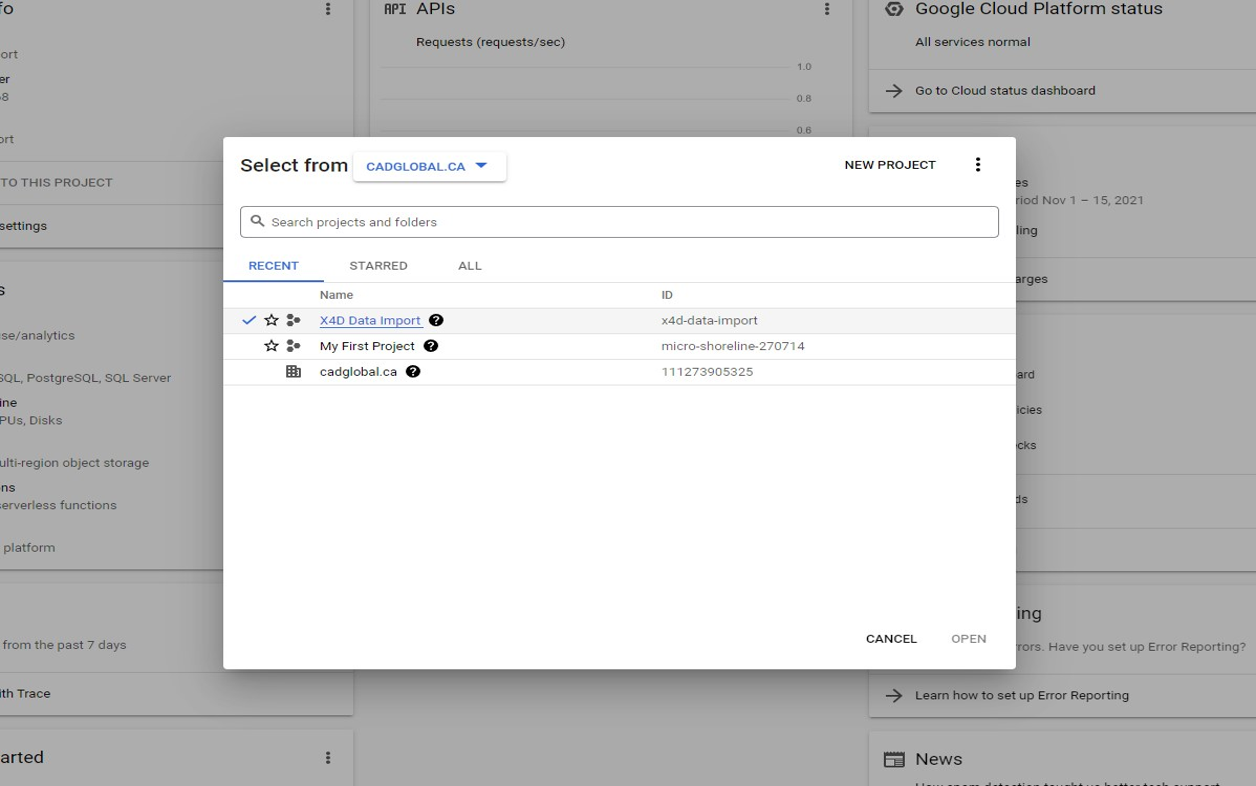
Caption: Project Selection Screen
Open Credentials tab:
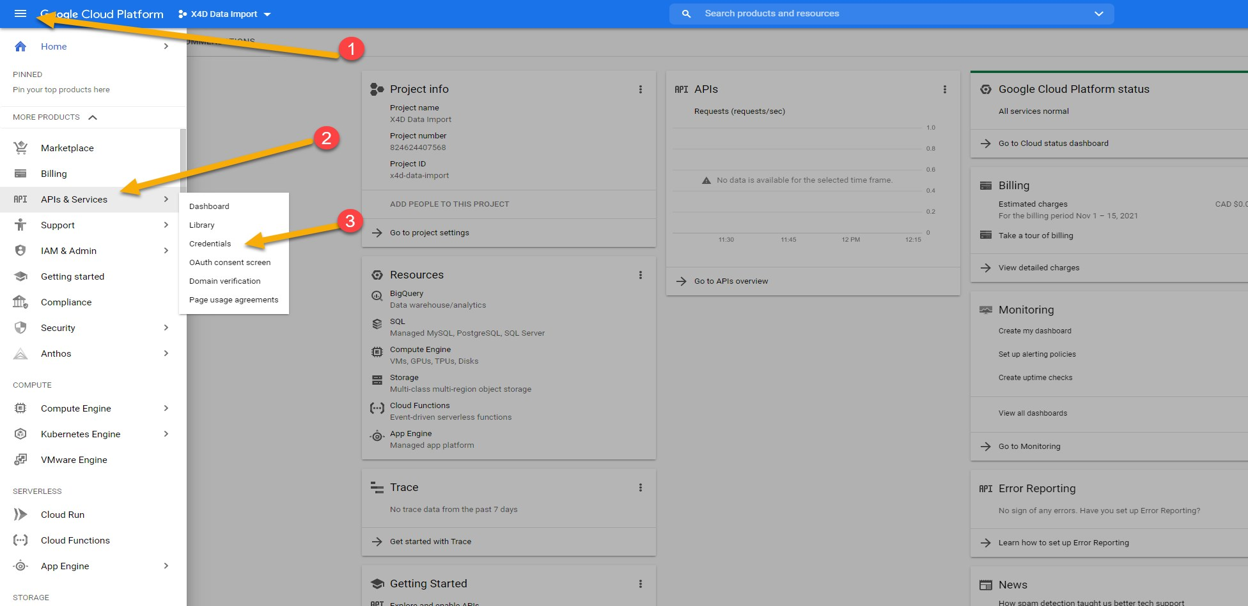
Caption: Create Credential Screen:
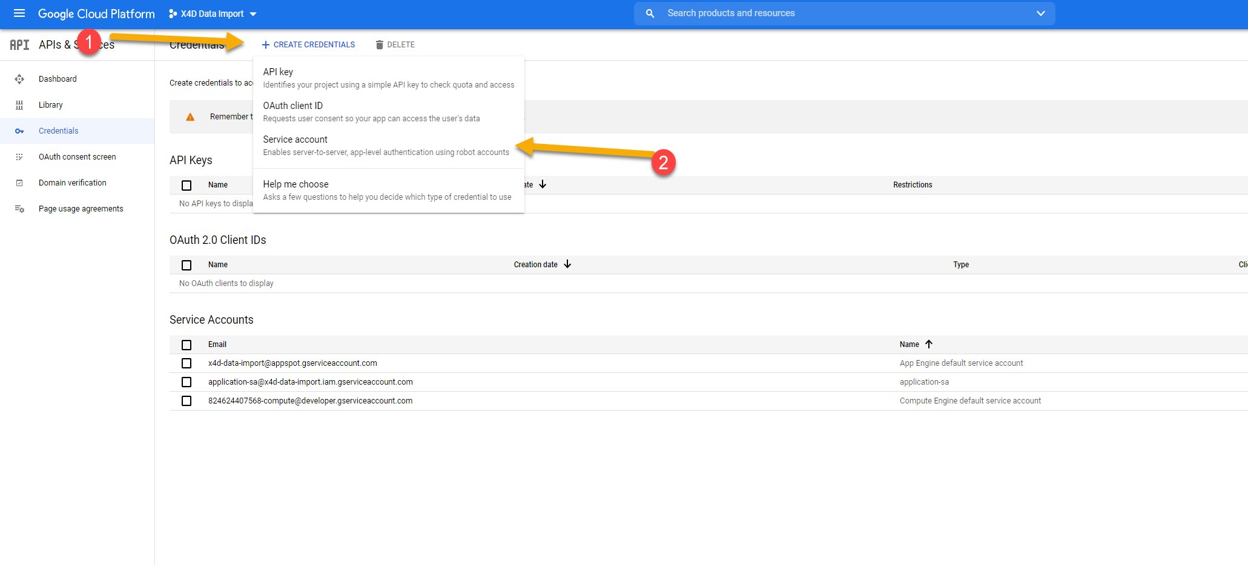
Notes:
-
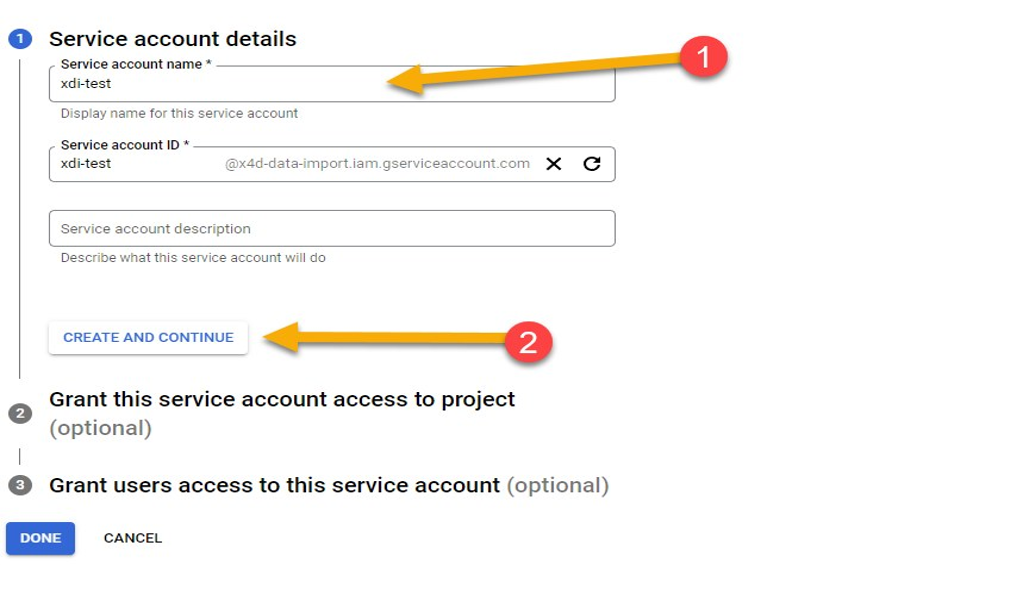
Choose name for the service account and click CREATE AND CONTINUE button
-
Assign service access to Storage and Vision API
-
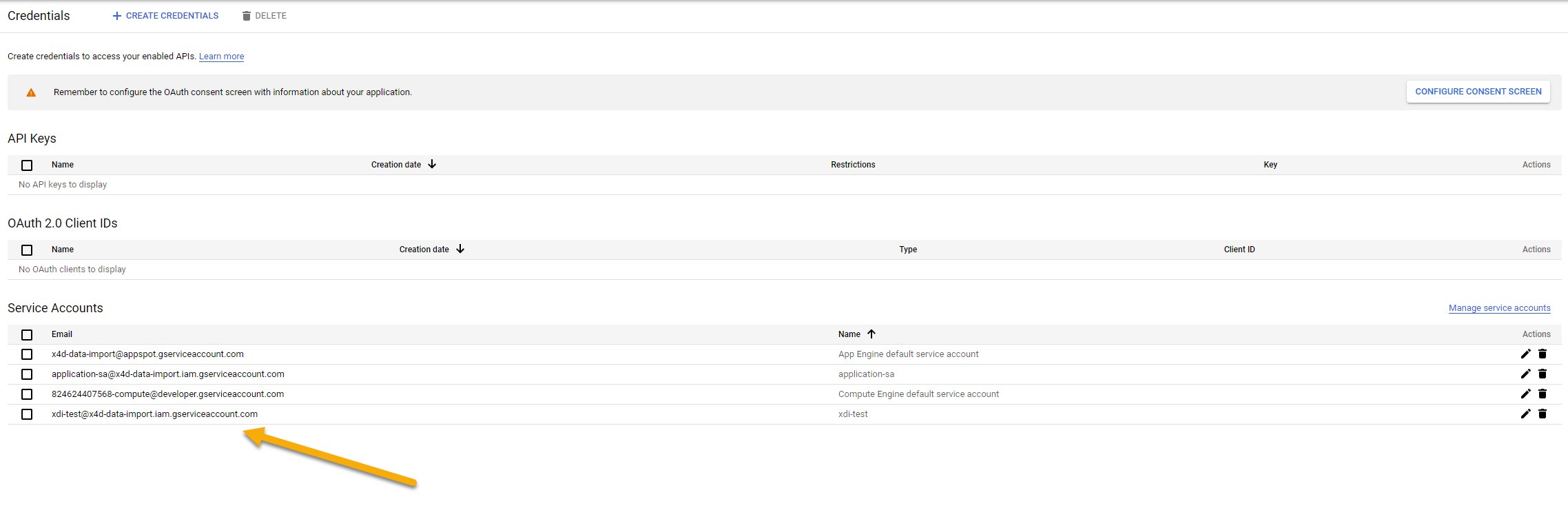
Go back to Credentials tab (step 3.)
-
Select new service account
-
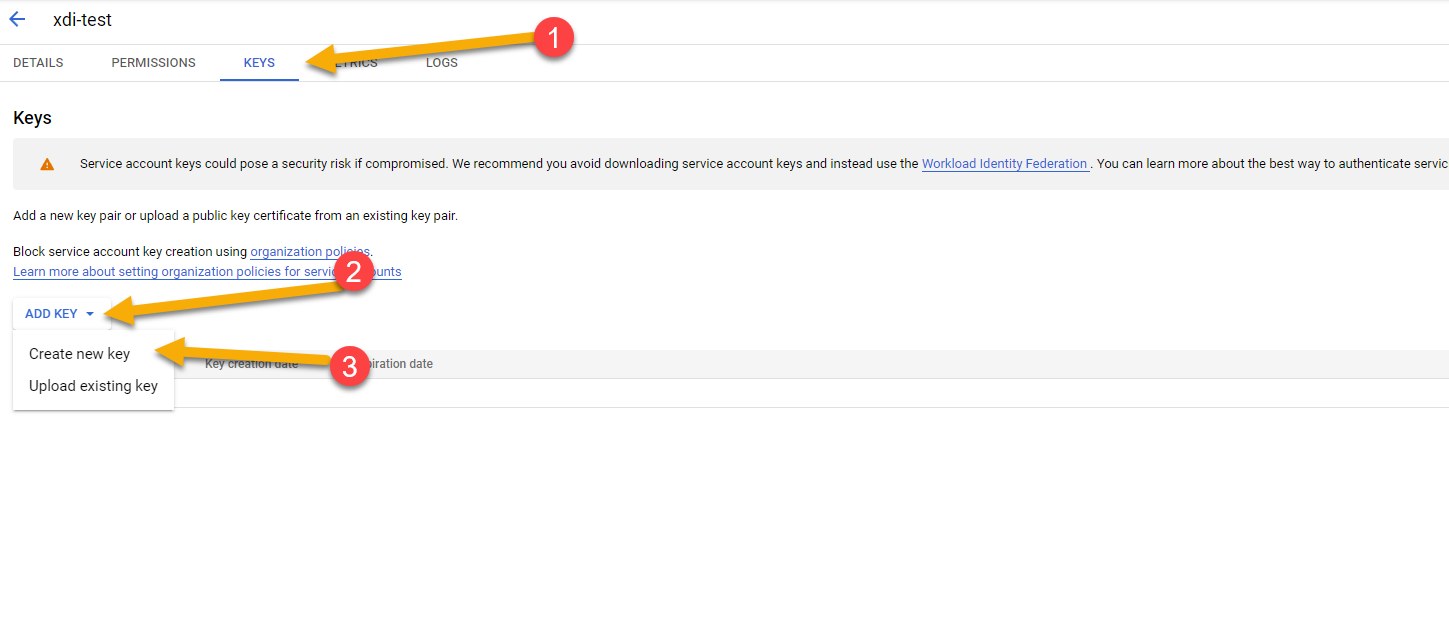
Go to KEYS, click ADD KEY, then Create new key.
-
Select JSON and click CREATE
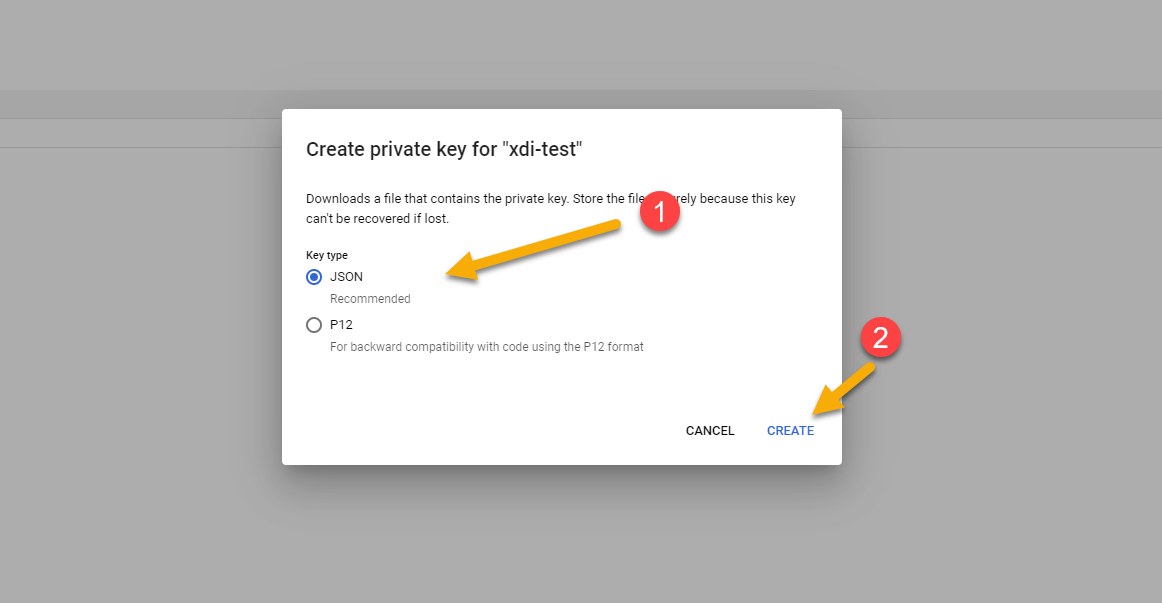
- Key JSON file will be downloaded
- Rename file to GoogleLicense_.json and place it in directory next to project licenses. WARNING: Google License file should never leave your organization. If software is deployed on client’s infrastructure, then client should generate, mantain and protect their license files thorougly. Failing to do so may result in unauthorized access to Google Cloud Platform, because giving someone private key to Service Account is equivalent to giving someone login and password. This may cause major financial consequences. If unauthorized access via Service Account is discovered, delete private key for this account ASAP. For more info visit https://cloud.google.com/docs
Local OCR Scanning
While cloud-based scanning methods are preferred, X4D also supports the use of local scanning software. Any industry-standard OCR scanning tools can be integrated, including:
-
Adobe Acrobat
-
Bluebeam
-
ABBYY FineReader